Your follow-ups, in one list.
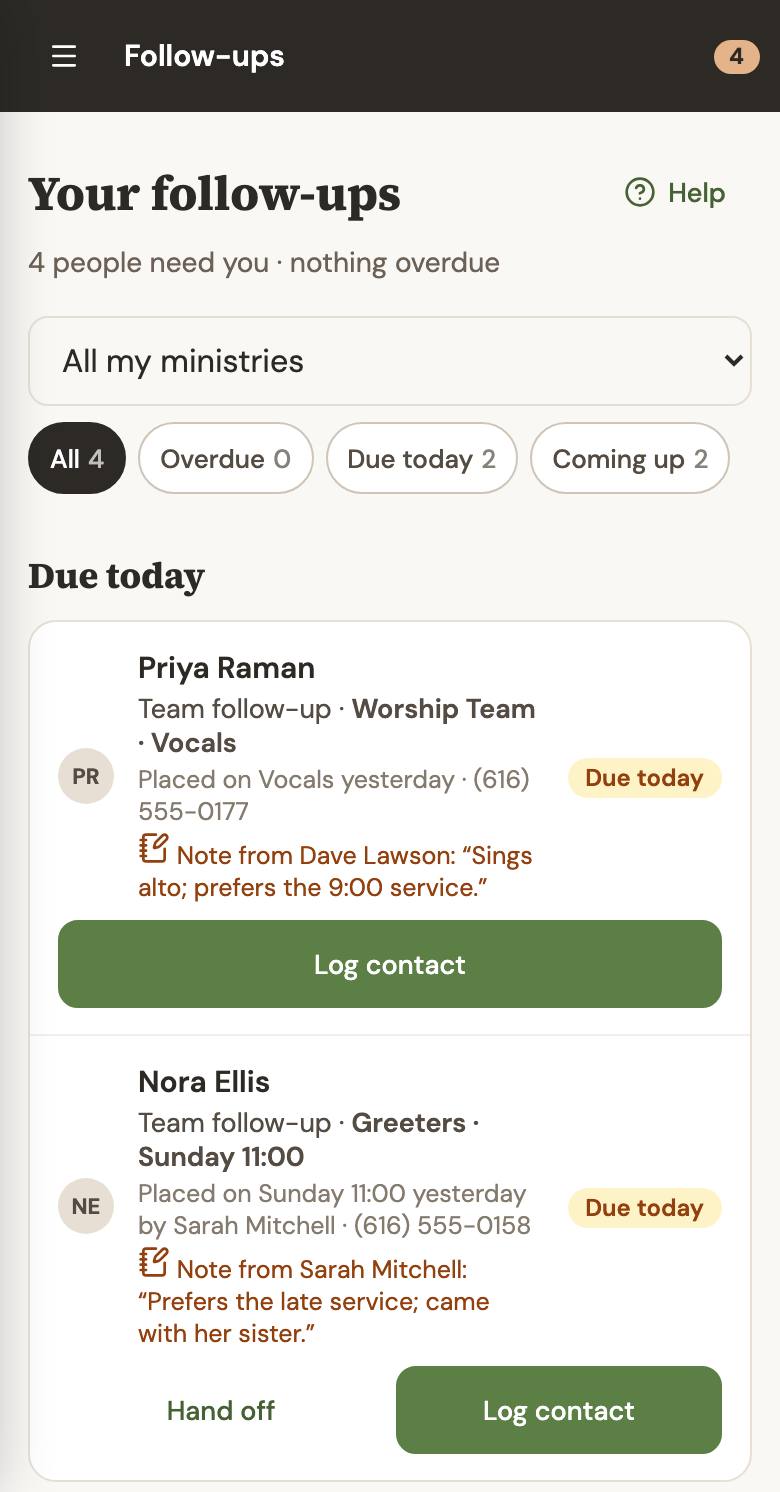
Everyone who needs a call from you, in order of when, with the right next step for each person. Nothing to set up: when someone signs up, it’s already on the right leader’s list.
 Demo data
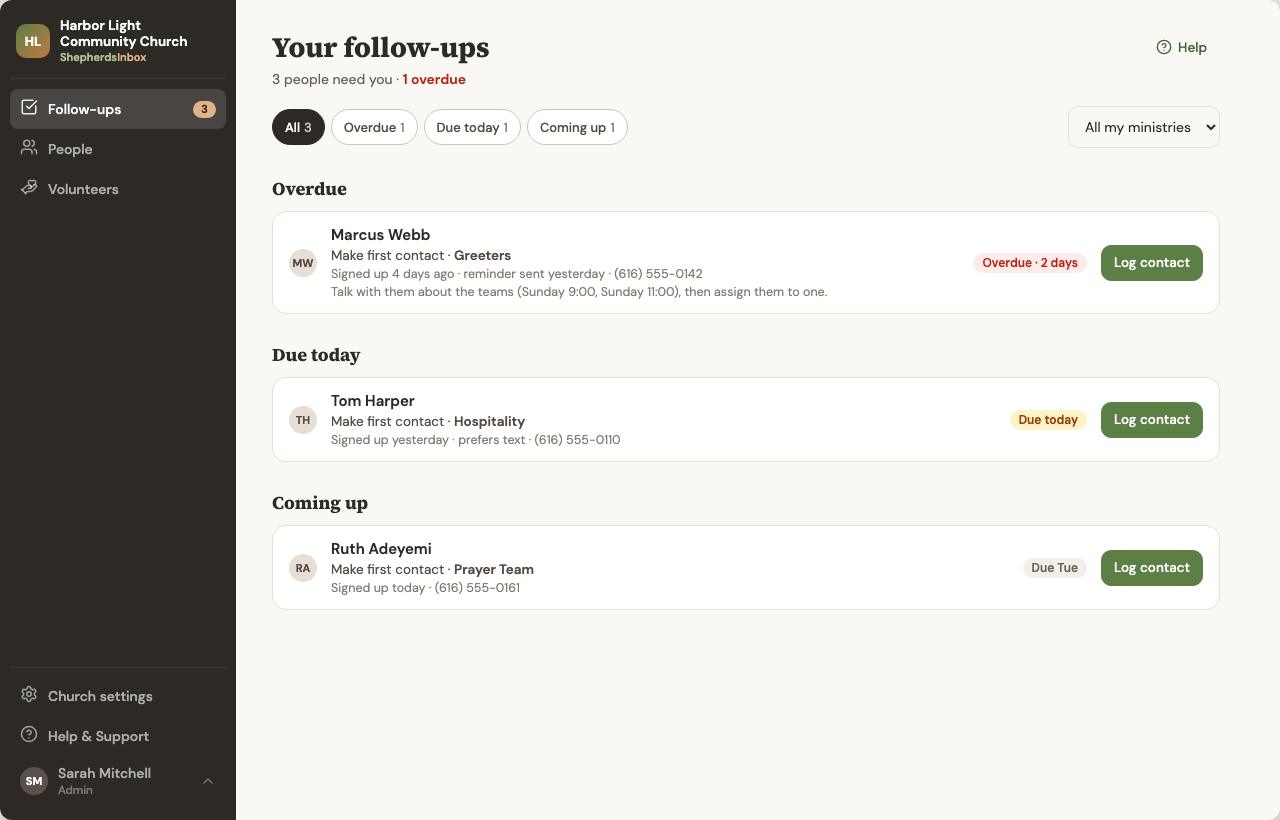
Overdue, due today, coming up
The Follow-ups page sorts everything that’s yours by when it needs you, and shows what you finished today. No digging through spreadsheets or inboxes.
 Demo data
The right action, not just a checkbox
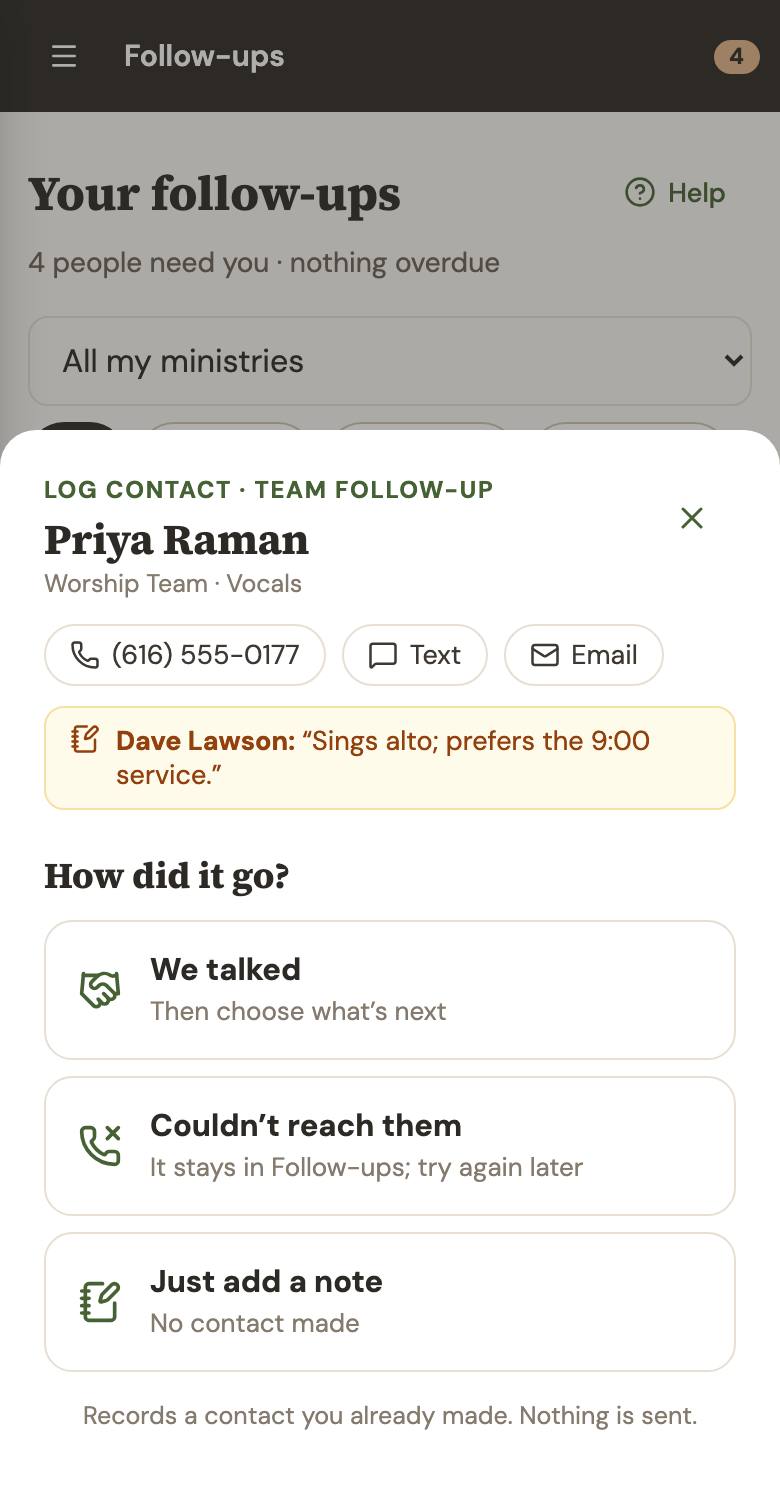
A follow-up isn’t done because someone ticked a box. Each item has the action that fits: log a contact, place a volunteer on a team, or hand it to another leader. A plain checkbox appears only for simple offline tasks.
- Call, text or email straight from the item
- “We talked”, “Couldn’t reach them” or “Just add a note”
- After two tries, you can choose to stop trying, and Admins can see that
 Demo data
Reminders
Leaders get gentle reminders on a timeline you set. If a follow-up becomes overdue, Admins hear about it too.
Hand off
Not the right person? Hand it to another leader in the ministry, with a note, and it moves to their Follow-ups.
Admins keep watch
Your follow-ups are yours alone. Admins also get the church-wide Overview, so they can see who’s still waiting and step in.
What a week looks like
With the default reminder days. You can change them.
- Sunday 11:40
Priya signs up to sing
After church she fills in your form on her phone: “I sang alto at my last church.”
- Sunday 11:41
It lands with Dave
Dave leads Worship. He gets an email or text, and Priya is on his Follow-ups with her note.
- Tuesday
A gentle reminder
Busy week and no call yet? Dave gets a friendly nudge. Nobody has to remember to send it.
- Thursday
Nobody forgotten
Still nothing? Your Admins see it, and can remind Dave or call Priya themselves.
Your follow-ups, in one place.
Launching soon · 30 days free when we launch · no credit card