Every hand raised.
All the way to Sunday.
A sign-up form to share, a leader who follows up, a place on a team, and a schedule your volunteers answer straight from their email.
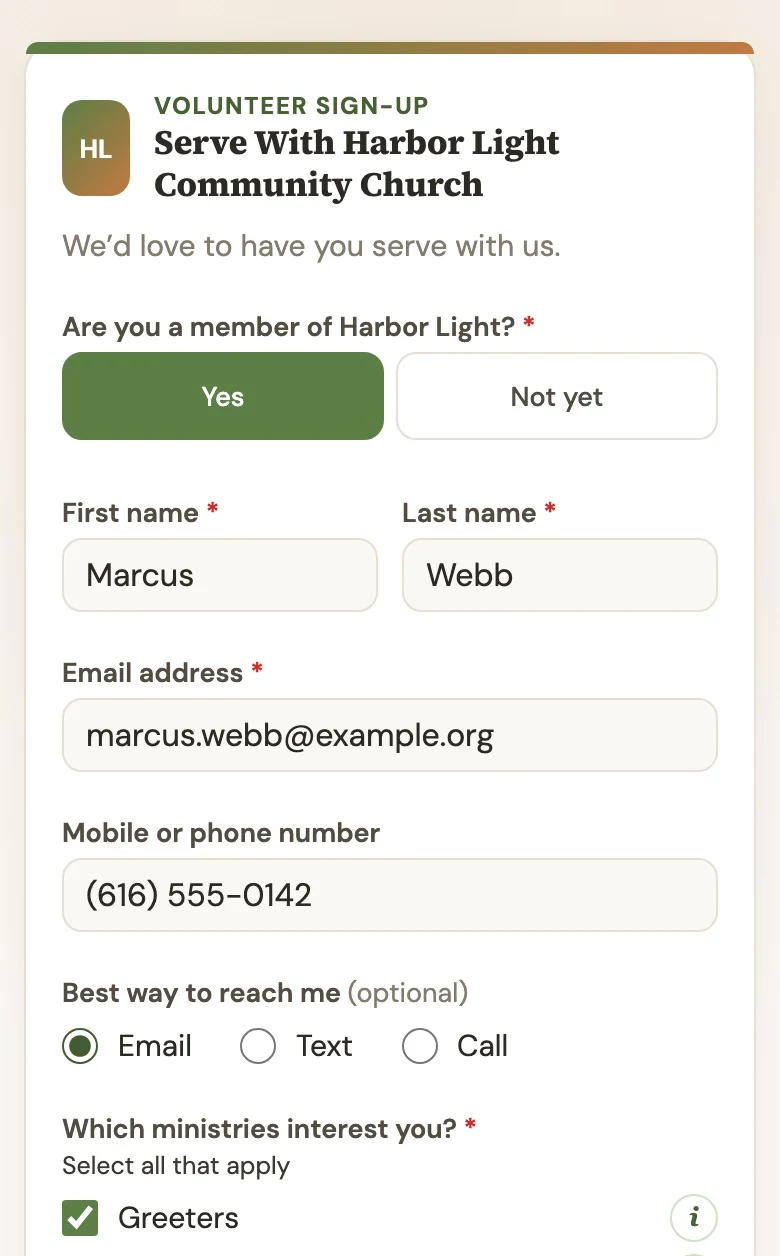
Welcoming new volunteers
Share one sign-up form
Share a link, print a QR code, or add the form to your website. It shows your church’s logo and colors, and you can add your own questions.

The right leader follows up
Each new volunteer goes to the leader of the ministry they picked. If a few days go by without a call, that leader gets a friendly reminder. If it’s still waiting, your church administrators hear about it.
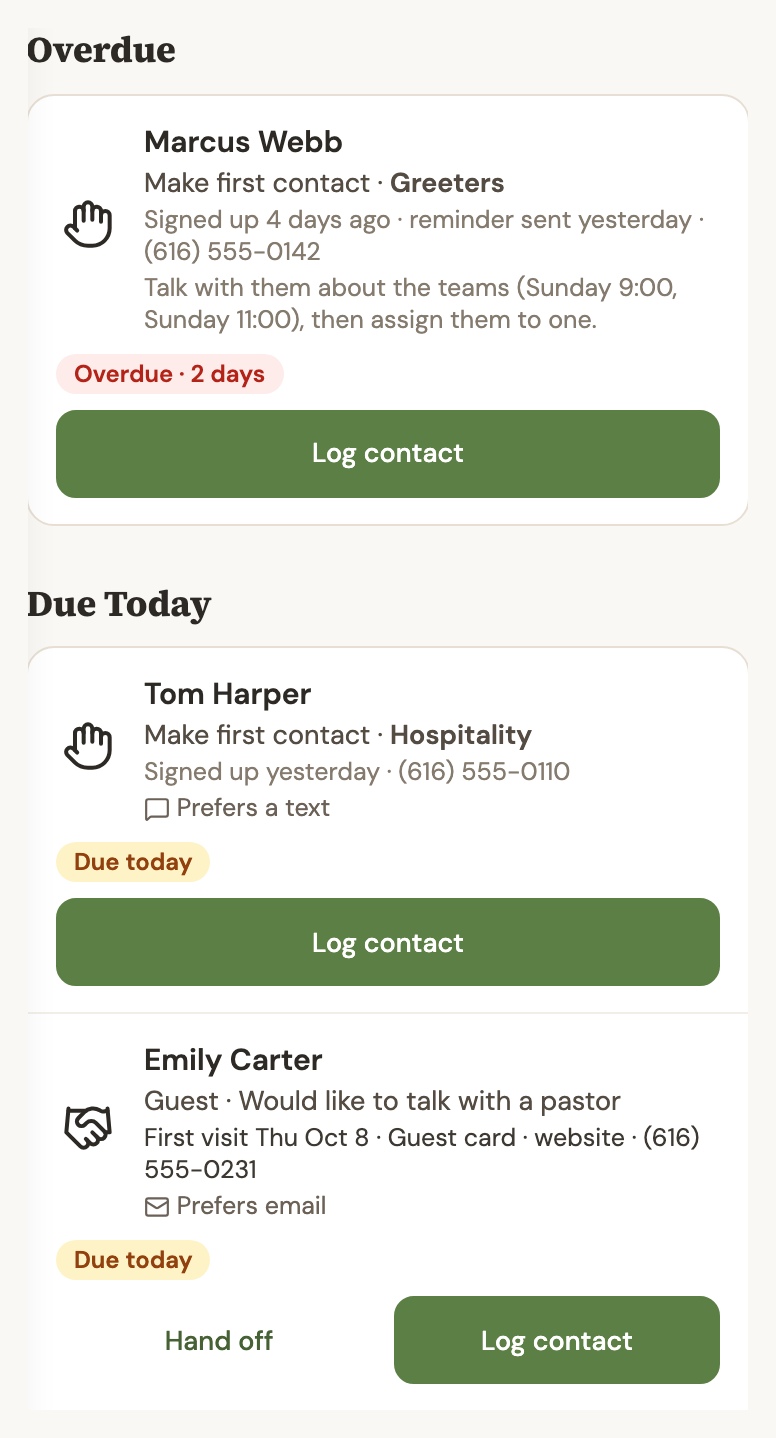
See who’s still waiting
One church-wide view shows who doesn’t have a leader yet and who hasn’t heard back. Assign a leader or send a reminder with one click.

On the schedule. Answered by email.
Put people on your Sunday once. They answer with one tap, and you see who’s coming and who still needs to be asked.
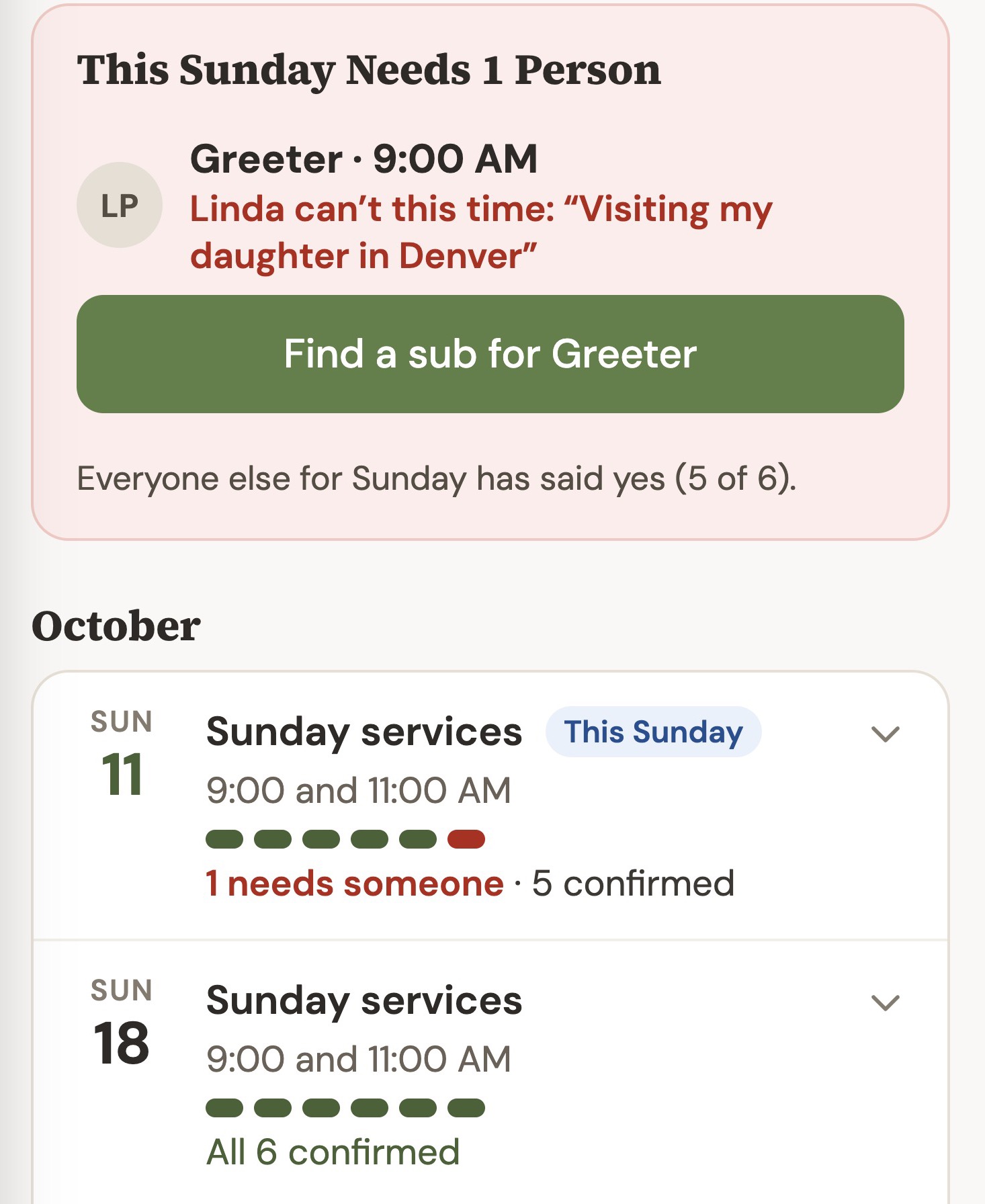
For the leader: one list for each Sunday.
Who said yes, who hasn’t answered, and what still needs someone. When a person can’t make it, you get an email right away and can find a sub or swap two people’s dates. Open spots also show up on your Follow-ups, so an open spot is never forgotten.
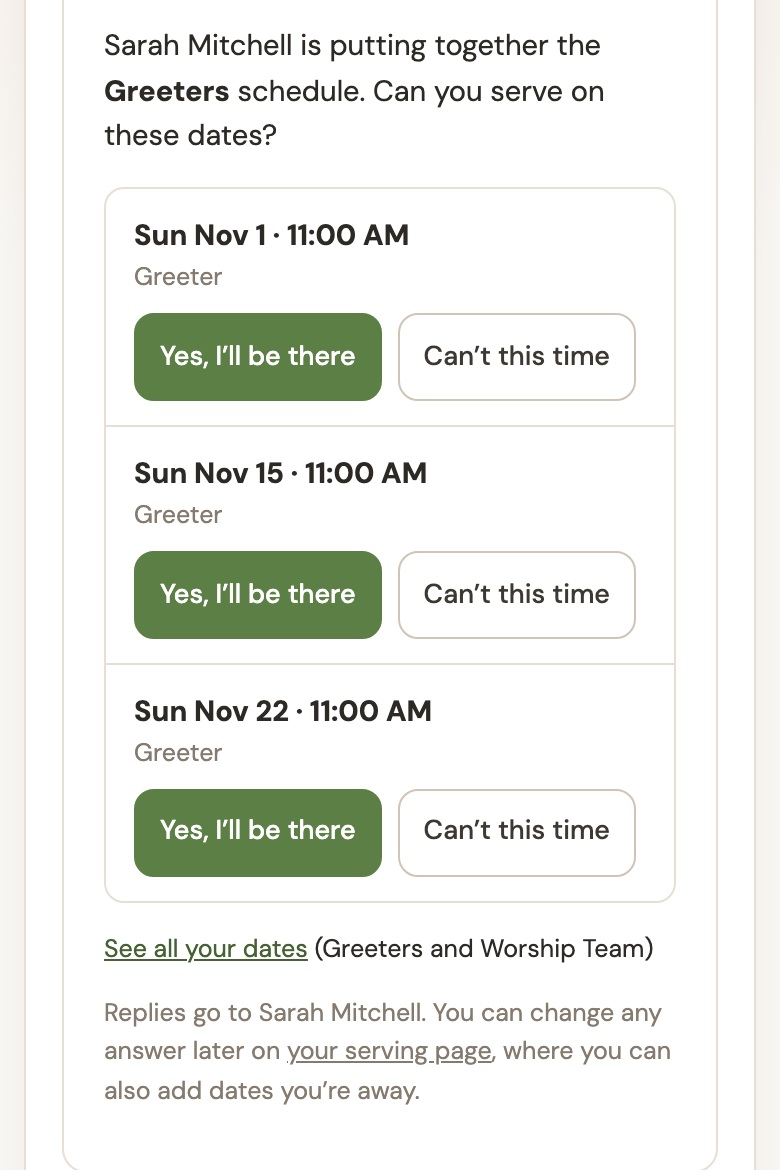
For the volunteer: just an email.
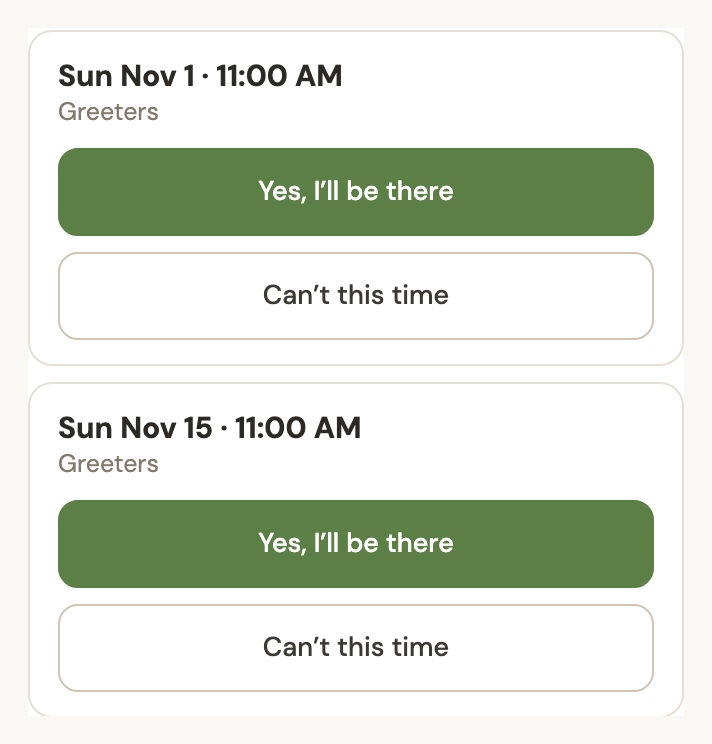
Jessie answers with one tap from her inbox: Yes, I’ll be there, or Can’t this time. If plans change later, she can tell you from the same email.
Nobody has to remember.
The emails go out by themselves. You only hear when something needs you.
“Can you serve?”
One email with their dates, a Yes and a Can’t. Put someone on without asking, and they get “You’re on” instead.
One friendly nudge
If they haven’t answered yet. Still quiet five days out? It lands on your Follow-ups.
“See you tomorrow”
A reminder for everyone who’s serving, with a link to use if plans change.
You hear right away
An email to you, the spot opens up, and Find a sub shows who could take it.
Three ways to fill the spots
Start with when you need people and what you need them to do. Then choose what fits your ministry.
Choose people
Ask by email, confirm someone who already said yes, or choose “I’ll call” when a conversation is better.
Let people take turns
Set up a rotation. People take turns as new weeks are added, and get their dates by email.
Let volunteers sign up
Invite your ministry’s volunteers to choose open spots from their serving page. Taking a spot confirms them right away.
Their dates. One private page.
Each volunteer gets a private page with all their dates, across every ministry, with no sign-in. They can say yes, take an open spot, add a date to their calendar, mark days they’ll be away, or let you know they can’t make it.
Workdays, luncheons and events too
Add volunteer spots to a church workday, a luncheon or a weekend event, and ask your ministries for help. Share a sign-up page by link or QR code so people can lend a hand.
Start with a guided setup
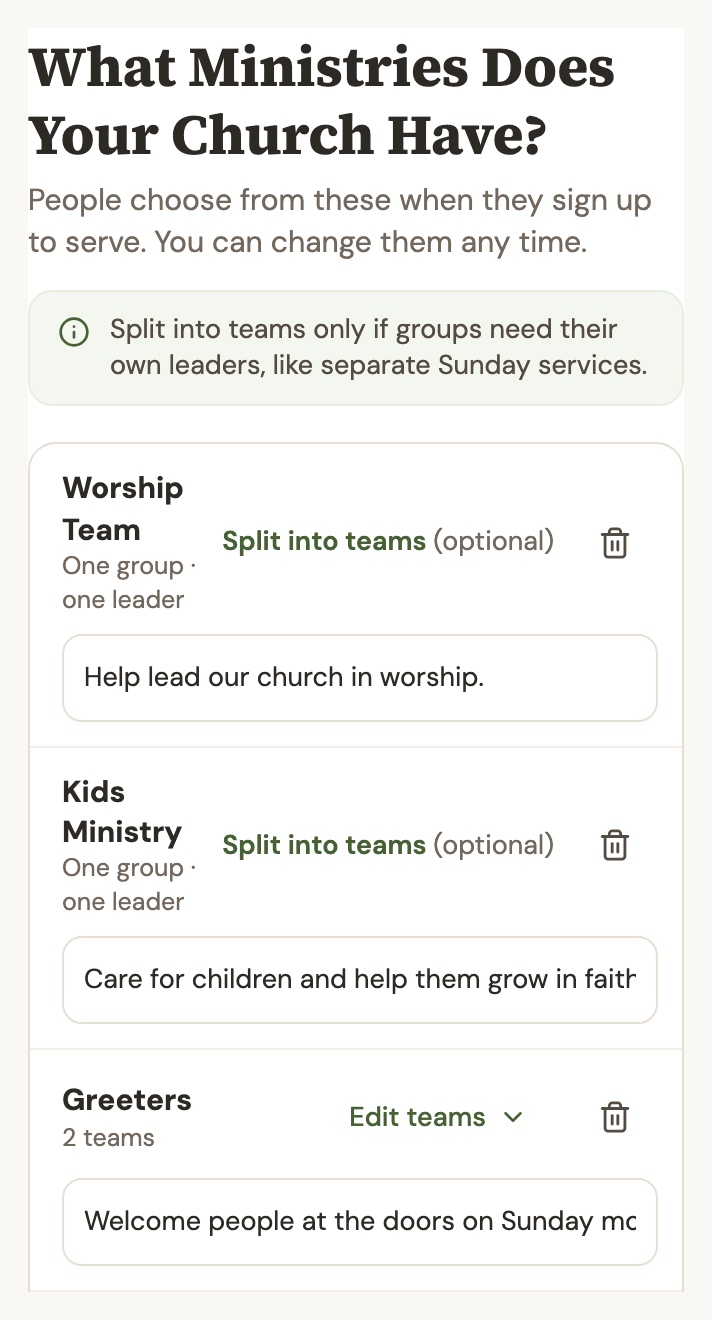
Set up your ministries, leaders, sign-up form and reminders. When you’re ready, add your schedule in three short steps.
Questions about volunteers
Do volunteers need an app, a password?
No. Everything comes by email, and volunteers answer from a private link without signing in.
What happens when someone can’t make it?
Their spot opens up, and their leader gets an email and a follow-up. The leader can find a sub or ask someone else.
Can serving be for members only?
Yes. Turn on “members only” and people who aren’t members yet get a warm message about how to take that step, instead of a cold no.
Does scheduling cost extra?
No. It’s part of the one plan: $20 a month for your whole church.
Know who’s serving this Sunday.
$20 a month for your whole church · 60 days free if you sign up by January 31, 2027 · no credit card · cancel anytime