From sign-up to your first Sunday.
Start with the part you need first: guests, volunteers, or both. A short guided setup walks you through each one.
Start with what you need first.
Start your trial
Your name, email and church name. We send a sign-in link, then guide you through setting up your church.
Set up Guests, Volunteers, or both
Guests: choose who follows up, check your guest card, and share it. Volunteers: add your ministries and leaders, then share your sign-up form. Do one now and the other when you’re ready.
Add your people and your first Sunday
Import a spreadsheet or add people as you go. When you’re ready, put your first Sunday on the schedule. See how scheduling works.
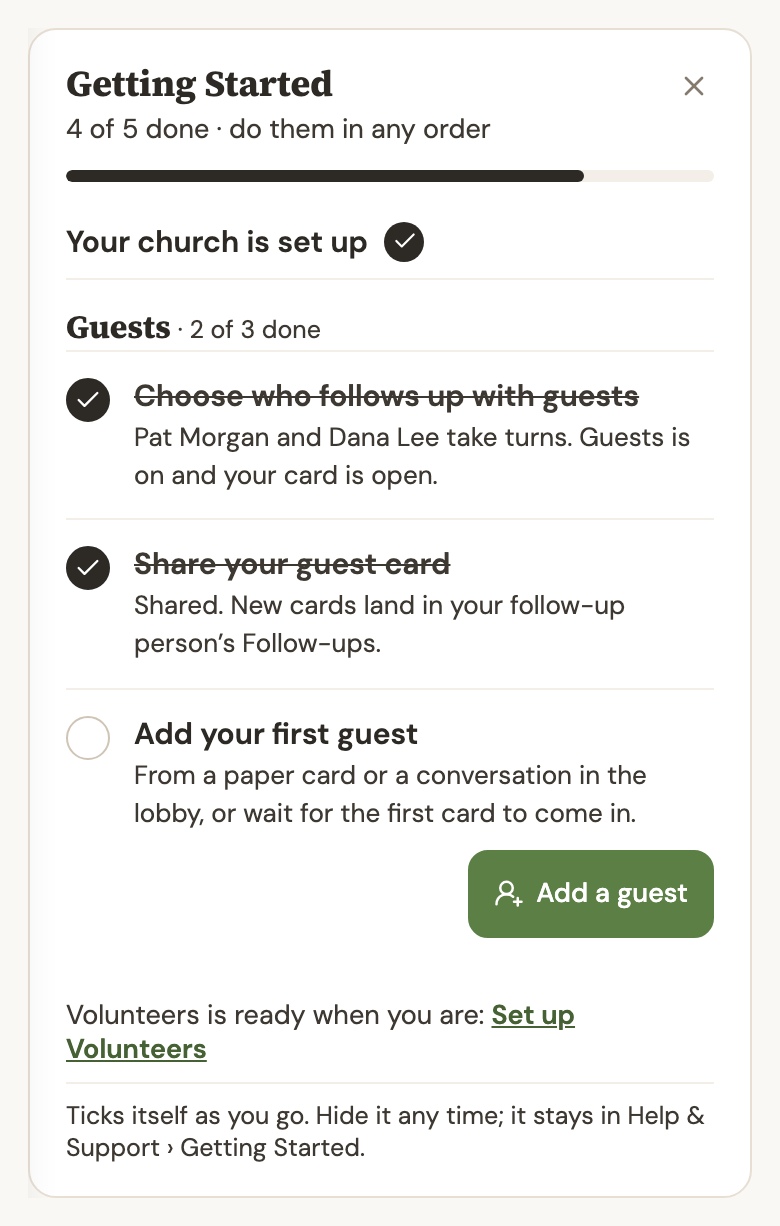
Help is on every page.
Each page has a Help button that explains the page you’re on, with the full article one tap away. Need a person? Send a request from Help & Support. We reply within one business day by email.
Learn more
Contact support
Email [email protected] or send a request from inside the app. We reply within one business day.
Make sure everyone hears back.
$20 a month for your whole church · 60 days free if you sign up by January 31, 2027 · no credit card · cancel anytime